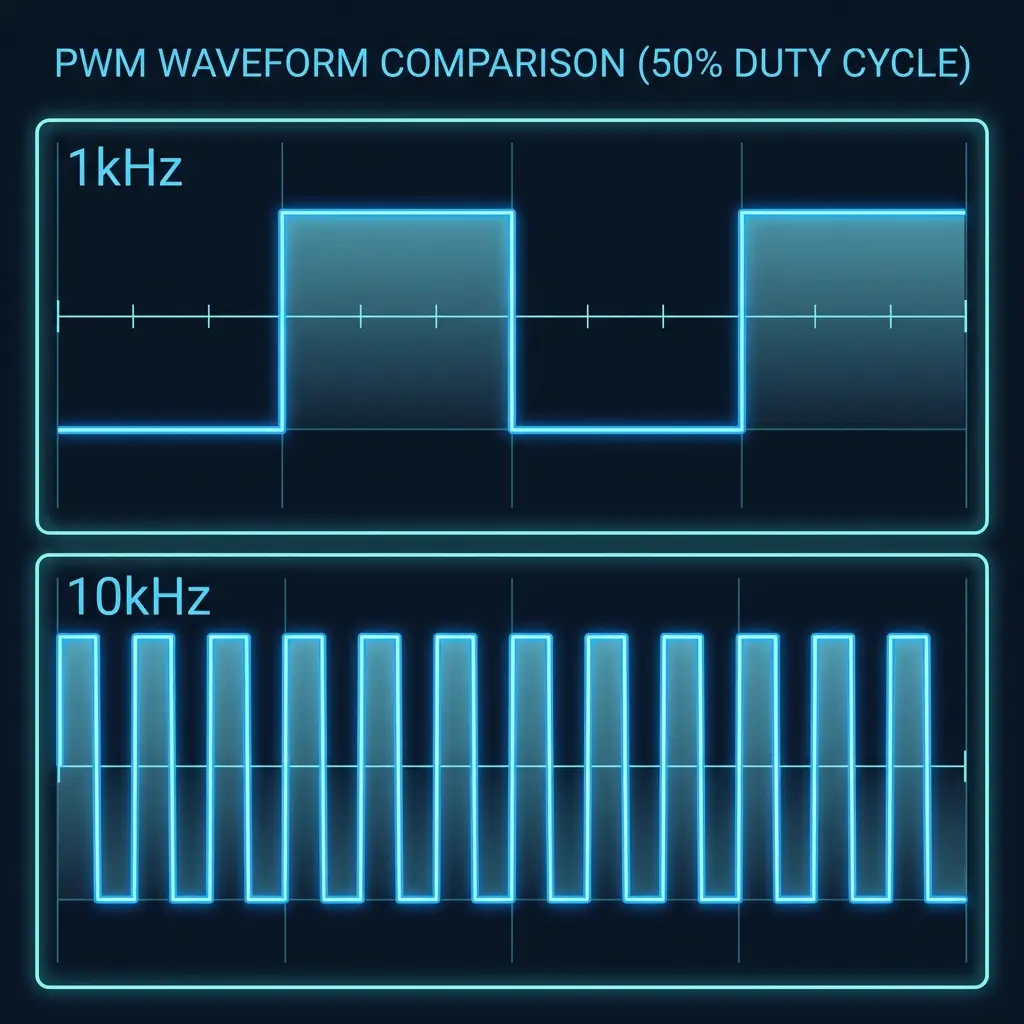
Pulse Width Modulation (PWM) is the Swiss Army knife of electronics. Most makers understand the concept of duty cycle— the percentage of time a signal is “ON” — and how it regulates power. However, the frequency of that signal (how many times it pulses per second) is often overlooked.
In this guide, we’ll dive deep into why frequency matters, how it interacts with different types of loads, and when you should consider tweaking it in your projects.
Does frequency change average DC voltage?
If the average voltage doesn’t change, why do we care about frequency? The answer lies in how the physical load responds to those pulses.
Effects on different loads
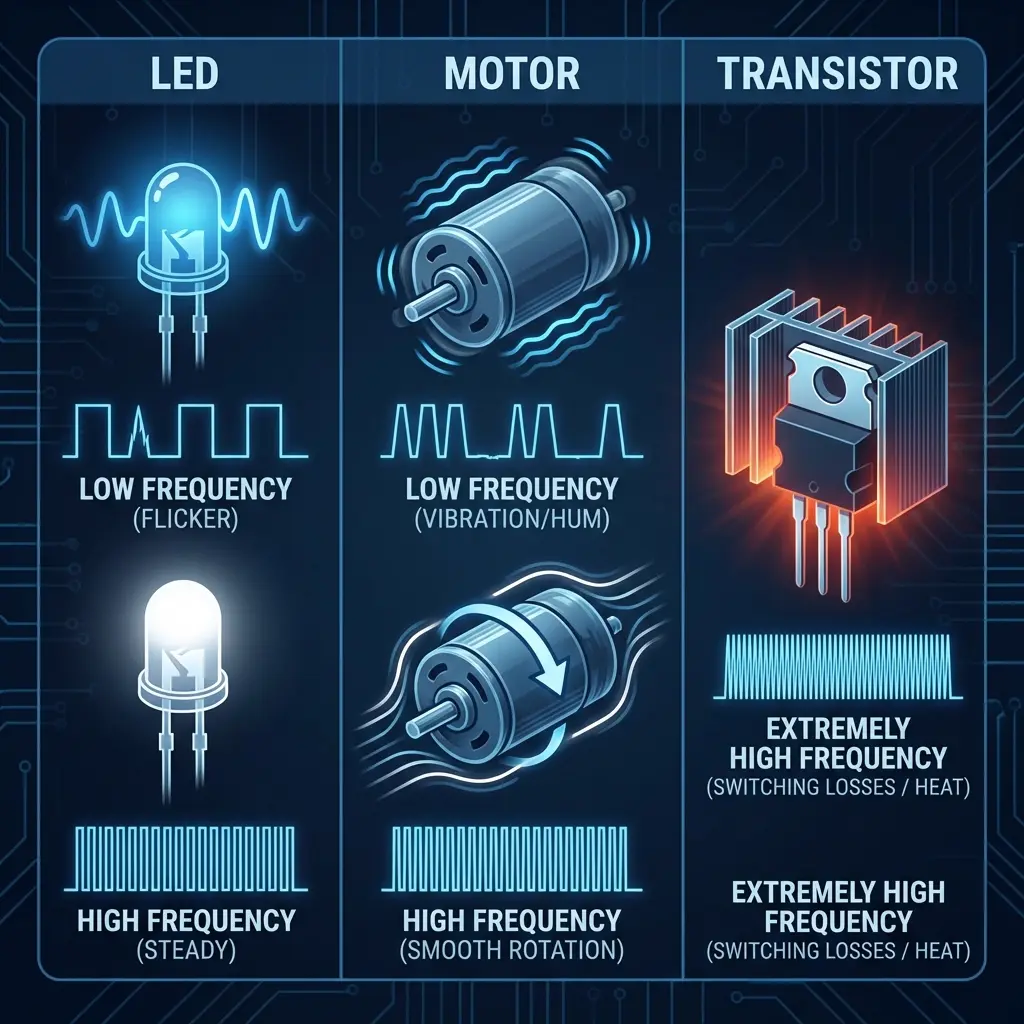
Loads have different “thermal” or “mechanical” inertia. The choice of frequency determines how well the load filters the pulses into a smooth effect.
1. LEDs and lighting
LEDs have zero inertia; they turn on and off almost instantly.
- Low frequency (< 100 Hz): the human eye perceives “flicker.” This can cause eye strain or look terrible on camera (strobe effect).
- High frequency (> 1 kHz): the eye’s persistence of vision blends the pulses perfectly. For professional lighting or cameras, frequencies as high as 20 kHz+ are often used to avoid interference with shutter speeds.
2. DC motors
Motors have mechanical and inductive inertia.
- Low frequency (50 Hz – 500 Hz): the motor may vibrate or produce a highly audible “hum” or “whine.” You are literally hearing the motor coils vibrate at the PWM frequency.
- Mid frequency (1 kHz – 15 kHz): effective control, but the audible noise can be annoying in laboratory or home environments.
- Ultrasonic frequency (> 20 kHz): the switching noise moves above the human hearing range. The motor runs silently, but switching losses in your transistors (MOSFETs) increase.
3. Heaters (resistive loads)
Thermal loads have massive inertia. Since temperature changes over seconds, not milliseconds, a very low frequency (even 1 Hz) is perfectly fine for a heater. In fact, high frequencies for heaters are avoided to reduce electromagnetic interference (EMI).
When should you tweak the frequency?
You should adjust your PWM frequency when you encounter one of three problems:
| Problem | Solution |
|---|---|
| Audible “whining” noise from a motor or coil. | Increase frequency to >20 kHz (ultrasonic). |
| LED flicker on phone cameras or video. | Increase frequency to >5 kHz. |
| MOSFET / transistor getting too hot at high power. | Decrease frequency to reduce switching losses. |
| Radio interference or sensitive sensor errors. | Change frequency or add a low-pass filter. |
How to control frequency on microcontrollers
Arduino (AVR)
On standard Arduinos, analogWrite() uses a fixed frequency (approx. 490 Hz or 980 Hz). To change it, you must manipulate the hardware timers and prescalers directly.
// Example: Setting Timer 1 for 20kHz PWM on Pin 9
void setup() {
  pinMode(9, OUTPUT);
  TCCR1A = _BV(COM1A1) | _BV(WGM11);
  TCCR1B = _BV(WGM13) | _BV(CS10); // No prescaling
  ICR1 = 400; // This value determines frequency (16MHz / (2 * 20kHz) = 400)
}

void setPWM(int duty) {
  OCR1A = duty; // Set duty cycle (0 to 400)
}
ESP32
The ESP32 has a dedicated LEDC peripheral that makes frequency control incredibly easy. You can set exactly the frequency and resolution you want.
#include "driver/ledc.h"

void setup() {
  // Use a 20kHz frequency with 10-bit resolution
  ledcSetup(0, 20000, 10);
  ledcAttachPin(18, 0);
}

void loop() {
  ledcWrite(0, 512); // 50% duty cycle (2^10 / 2)
}
Changing PWM frequency doesn’t change the laws of physics regarding power (average DC), but it fundamentally changes the quality of the output. For silent motors and flicker-free LEDs, push your frequency higher. If your power components are overheating, consider dropping it back down. Understanding this balance is what separates a hobbyist from a pro engineer.